📊
Startup Monitoring
Monitor all processes started at login and get a live count of remaining items to go. The Startup Times window shows how long each item took to start, slowest first, and exports the times as a CSV file.
📁
Multiple Login Sets
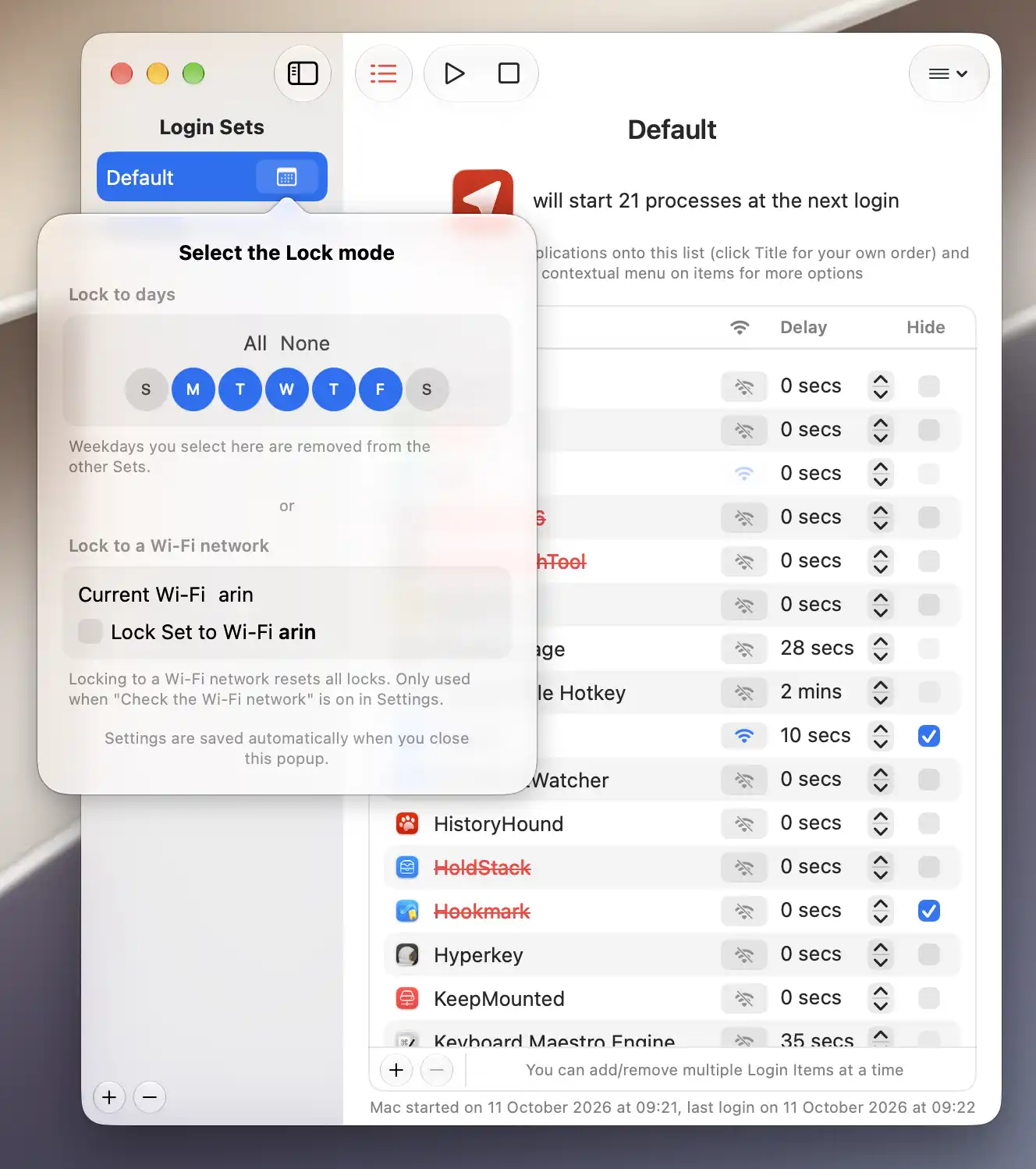
Create separate startup configurations for different environments (work, home, or public spaces) and link them to specific WiFi networks or days of the week.
👁️
Hide After Launch
Decide whether to hide an app after it starts, restoring the behavior macOS had before version 13. Apps that show themselves again right after launch are hidden once more.
⏱️
Configurable Delays
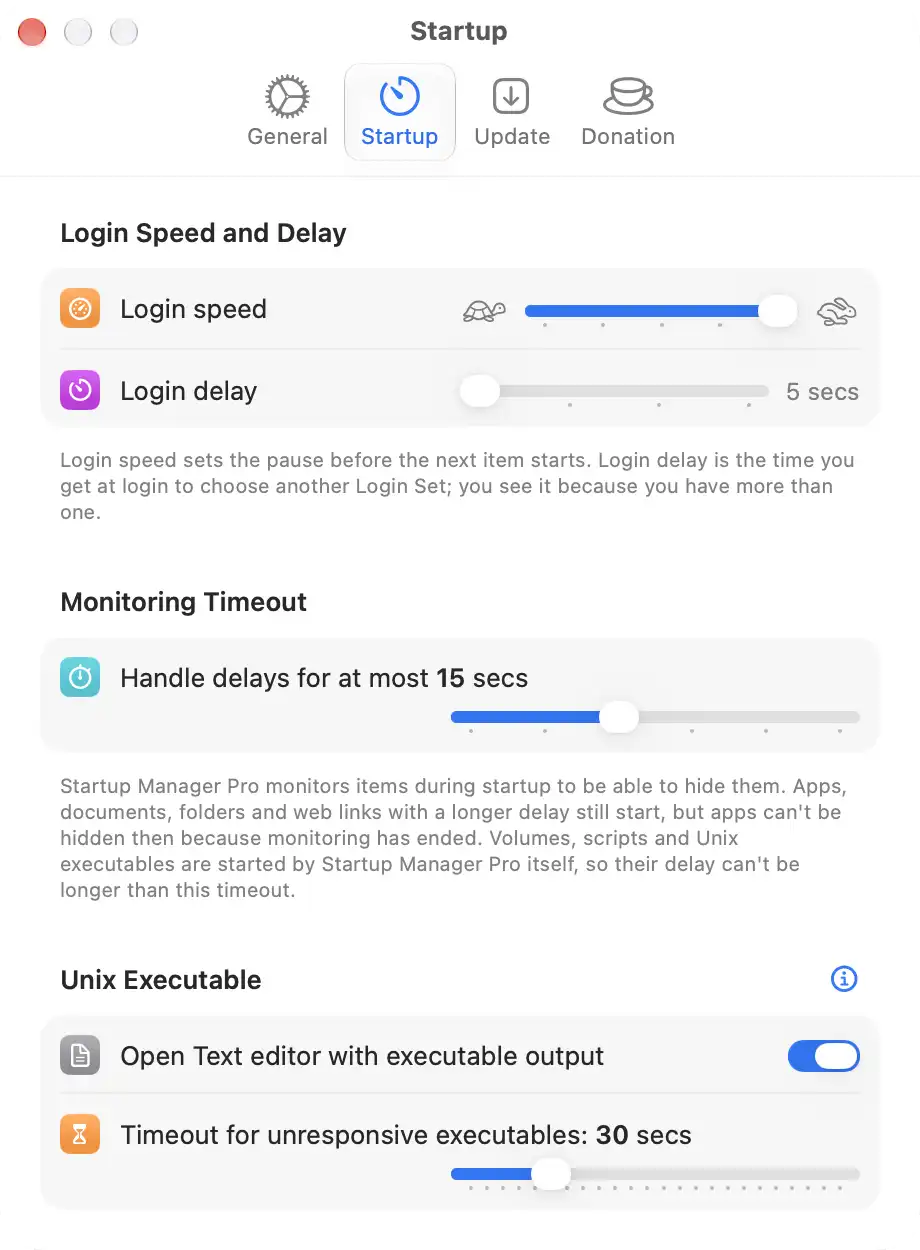
Delay any item at login, so heavy apps don't all compete for resources at once. Apps, documents, folders and web links can wait up to 10 minutes; volumes, scripts and Unix executables up to the Monitoring Timeout in Settings.
🖥️
Unix, Scripts & AppleScript
Run Unix executables with custom arguments, shell scripts, and AppleScripts, not just regular applications.
🌐
Network Volume Support
Drag SMB-mounted volumes directly into the list to mount them at login. Items that require a network connection won't start until you're connected.
📥
Import Login Items
Import your existing Login Items from System Settings in one step. Mounted servers can't be imported, but you can drag them in directly.
📶
WiFi-Aware Startup
Toggle the WiFi symbol on any item that needs network access. At login, Startup Manager Pro waits a few seconds for a connection and skips the item if there's still none.
🎛️
Start & Stop On Demand
Start or stop individual items, or all of them at once, without logging out. Full control from a single window.
🚪
Clean Log Out & Restart
Quit all running applications gracefully before logging out or restarting. Hold Option or Control and click a Login Set in the menu bar to trigger a clean shutdown, with no stray save dialogs interrupting the process.
🌙
Light & Dark Mode
Fully adapted to both macOS appearance modes, looking right at home whether you prefer light or dark.
🔒
Secure & Private
Notarized by Apple: malware-checked and confirmed trustworthy. No user data collected. The only external contact is Sparkle for update checks.
⚡
Lightweight & Modern
Built with SwiftUI and Swift 6, with the Liquid Glass look on macOS 26 and a Settings window in the style of System Settings. Automatically kept up to date via Sparkle, so no manual downloads are required.